Velero backup to PowerScale S3 Bucket
Velero is one of the most popular tools for backup and restoring of Kubernetes resources.
PowerScale is Dell's leading scale-out NAS solution, supporting many different access protocols including S3!
Velero backup options
You can use Velero for different backup options:
- Protect Kubernetes resource objects like
Pod,Namespace, etc. - Protect
PersistentVolumedata withVolumeSnapshot - Protect the content of PVs with restic
In all cases, Velero syncs the information to an object storage.
Note
PowerScale is not 100% compatible with S3 protocol per AWS. Nonetheless, Velero doesn't use the unsupported calls, making PowerScale S3 a production-grade solution with Velero.
Deployment
PowerScale S3 configuration
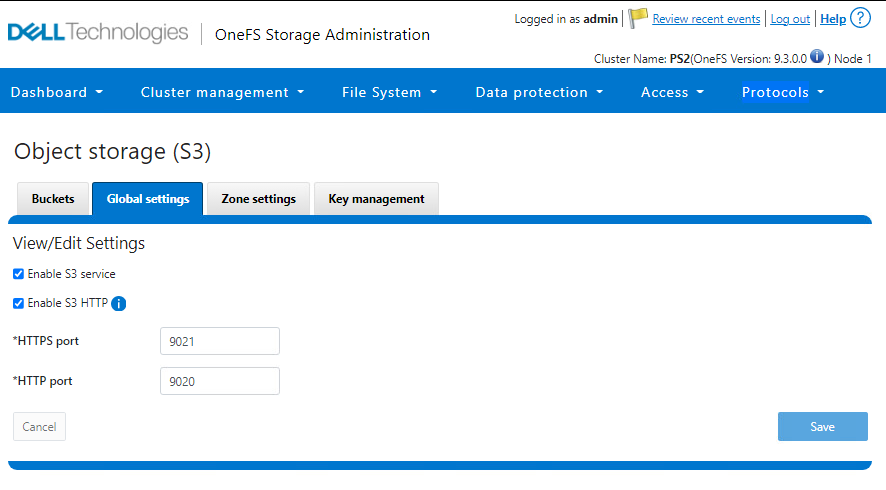
- Make sure S3 protocol is enabled:
PS1-1% isi s3 settings global view
         HTTP Port: 9020
        HTTPS Port: 9021
        HTTPS only: No
S3 Service Enabled: Yes
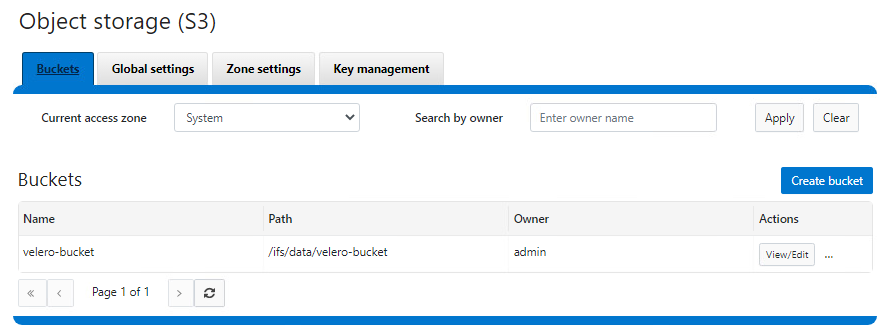
- Create a bucket with write permissions
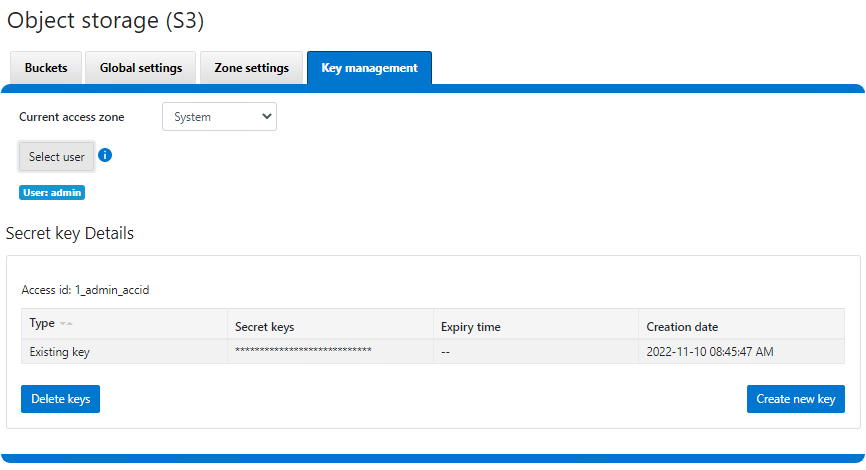
- Create a key for the user - note that the key is only displayed upon creation
Velero installation
- Create credentials file:
[default]
aws_access_key_id = 1_admin_accid
aws_secret_access_key = 0sncWaAsVWycj4LFTPnxi2k8RPdi
-
Optionally, obtain the PowerScale SSL certificate for HTTPS
-
Install Velero:
velero install \
    --provider aws \
    --plugins velero/velero-plugin-for-aws:v1.5.1 \
    --bucket velero-backup \
    --secret-file ./credentials-velero \
    --use-volume-snapshots=false \
    --cacert ./ps2-cacert.pem \
    --backup-location-config region=powerscale,s3ForcePathStyle="true",s3Url=https://192.168.1.21:9021
For snapshot support with Dell CSI drivers:
velero install \
    --features=EnableCSI \
    --plugins=velero/velero-plugin-for-aws:v1.5.1,velero/velero-plugin-for-csi:v0.3.0 \
    --use-volume-snapshots=true
    ...
After installation, verify with kubectl logs -n velero deployment/velero.
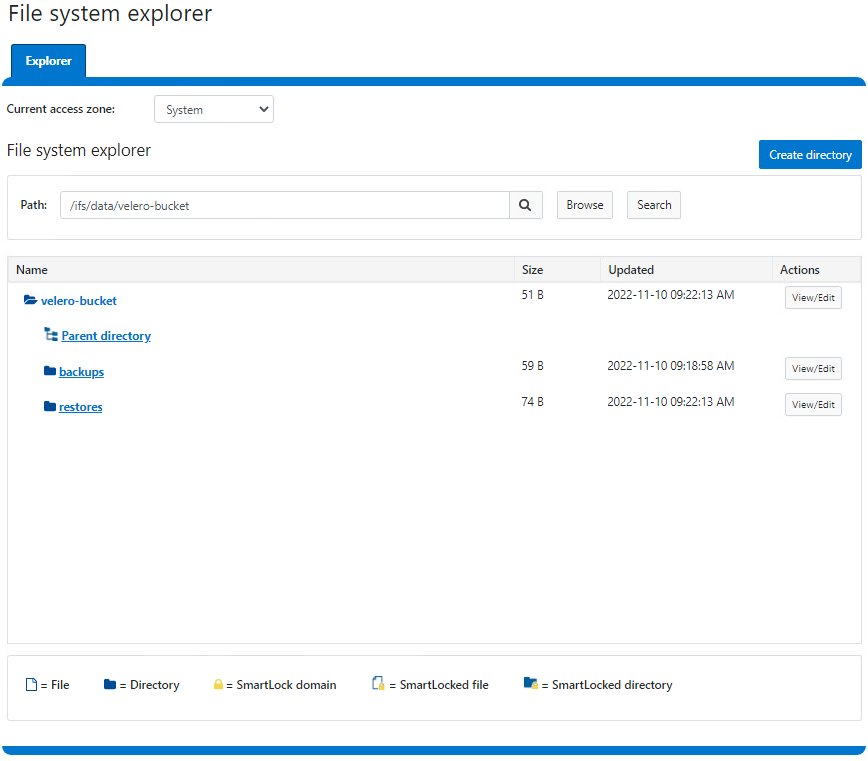
You can check the actual content directly from PowerScale File Explorer:
Demo
Conclusion
For small and easy protection of Kubernetes clusters, Velero & PowerScale S3 are a perfect duo. For broader features, consider PowerProtect Data Manager.